
Any audio becomes material
Import English audio or record a speaker. AI writes the transcript and splits long recordings into short segments.
Import any English audio, shadow it in short segments, and get AI feedback on your pronunciation.

AI review is free to try, with more reviews on Shadosen Pro.

Master English with the shadowing technique used by professional interpreters, in a simple app built for daily use.
Import English audio or record a speaker. AI writes the transcript and splits long recordings into short segments.
Record yourself while shadowing, play it back against the original, and get an AI review of your pronunciation.
Daily streaks, reminders and an activity calendar help you practice a little every day.
Shadowing means listening to native English audio and speaking along at the same time. It trains your ear and mouth to work together.
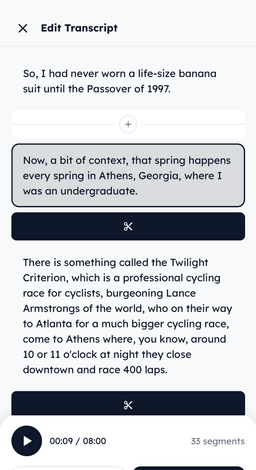
Import a file, record it, create material with AI, or start with a curated example. The transcript is written for you.
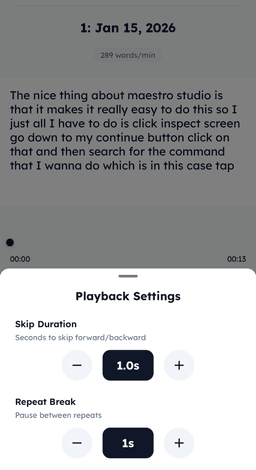
Adjust the speed, loop a section, and set skip and repeat pauses until you catch every word.

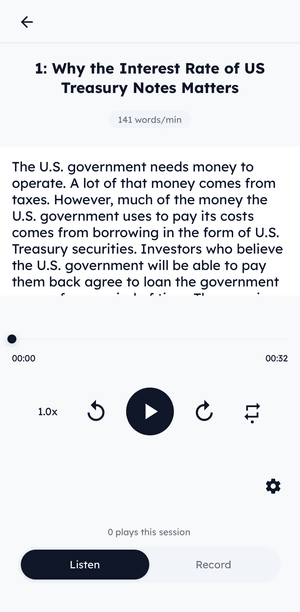
Speak along with the audio, transcript in view. Switch to Record to capture your take.
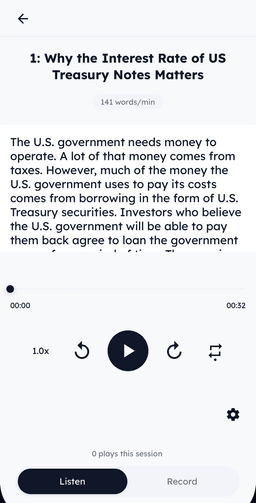
Play your recording against the original, and let AI show how close you were, word by word.
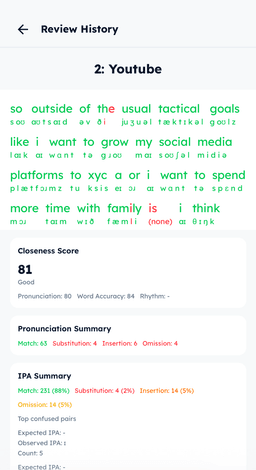
Record your shadowing and AI compares it with the original. You get a closeness score and feedback on every word.
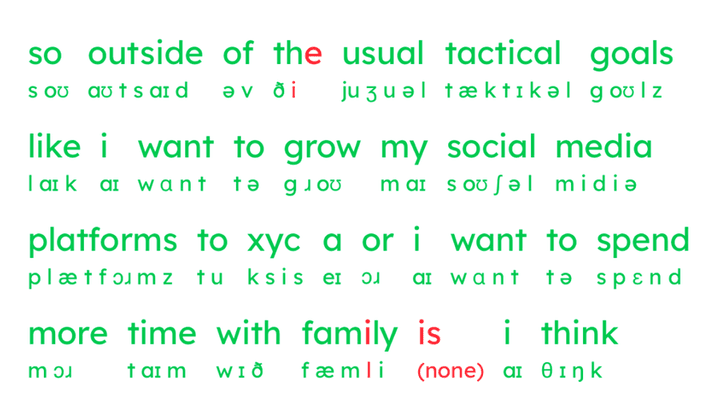
Words are marked green or red, with the sounds AI heard written in IPA underneath.
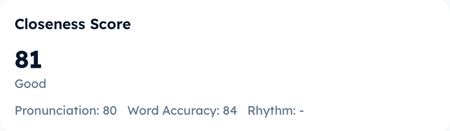
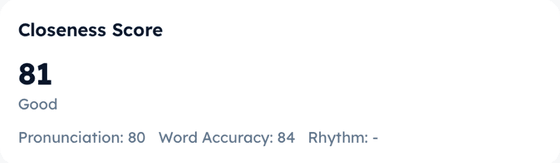
One number for how close you were, with pronunciation and word accuracy shown separately.
See matches, substitutions, insertions and omissions, plus the sounds you mix up most.

AI review is free to try, with more reviews on Shadosen Pro.
Shadowing is a listening and speaking practice method: you listen to native English audio and speak along with it at the same time. It trains your ear and mouth to work together, which helps with fluency and pronunciation. Shadosen is an iPhone app built around this method.
English learners who want to improve their listening, speaking and pronunciation, including people preparing for English exams and people training to become interpreters. The app is available in English and Japanese.
Your own English audio. Import an audio file, or record a speaker directly in the app. You can also start with curated example audio or create practice material with AI. Shadosen writes a transcript and splits long recordings into short segments. While you practice, you can adjust the playback speed and loop a section.
Record yourself shadowing a segment, then run an AI review. AI analyzes the original audio and your recording, and shows a closeness score, separate scores for pronunciation, word accuracy, and rhythm, and a word-by-word view that marks each word green or red. You can play them one after the other to hear the difference.
Shadosen is free to download. AI review is free to try, with more reviews on Shadosen Pro, an optional in-app purchase. Check the App Store listing for current Pro options and prices.
An iPhone running iOS 18 or later. AI review and cloud transcription need an internet connection. Shadosen is designed for iPhone.

Download now and start your English shadowing journey today.
AI review is free to try, with more reviews on Shadosen Pro.